

TL;DR: Flux Lura is a Next.js web app that converts images, audio and video entirely in the browser using FFmpeg.wasm, so no file leaves the device. It loads the single-threaded @ffmpeg/core 0.12.2 build, a 31.6MB WebAssembly download. The hard part is working inside the browser's limits on memory, threading and codec support.
01
What it is
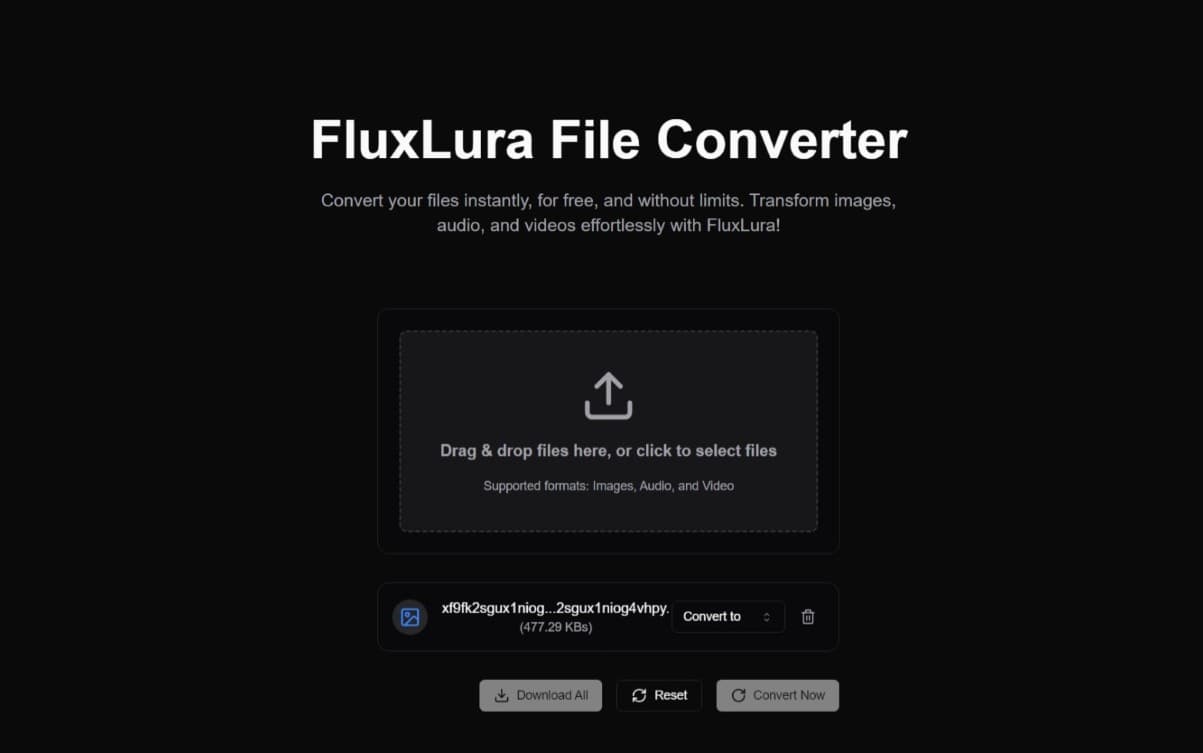
Flux Lura converts images, audio and video in the browser. You drop a file, pick a target format such as WebP to PNG or WAV to OGG, and download the result. The conversion runs on your machine with FFmpeg.wasm, a WebAssembly build of FFmpeg, so no file is ever uploaded to a server.
I built it to avoid uploading files to converter sites, and as an excuse to use WebAssembly in a real project.
02
Running FFmpeg inside a browser tab
On page load, Flux Lura fetches @ffmpeg/core 0.12.2 from unpkg and wraps the JS and WASM files in blob URLs with toBlobURL. The .wasm file alone is 31.6MB, so the Convert button can't do anything until that download finishes.
Each conversion follows the same four steps. The input is written into FFmpeg's in-memory filesystem, exec runs a command built from per-format arguments (MP4 gets libx264 at CRF 23 with +faststart, MP3 gets libmp3lame at 192k), the output is read back into a Blob URL, and both files are deleted. That last step matters more than it does with server-side FFmpeg: nothing cleans up WASM memory for you, and failing to free those files after a conversion leads to crashes on large inputs.
The browser sandbox sets the other limits. Not every FFmpeg codec is in the WASM build, and multi-threaded FFmpeg needs SharedArrayBuffer, which only works on cross-origin isolated pages (specific COOP and COEP headers). Flux Lura sets neither header and loads the single-threaded core. Conversion speed depends on the visitor's hardware, which is the trade-off for never uploading anything.
The format list is narrower than FFmpeg's. The "Convert to" menu only offers formats from the file's own category (image, audio or video), so you can't pull an MP3 out of an MP4, and an isConversionSupported check also blocks conversions between raster formats and SVG.
03
What I'd change
The progress bar is fake: it sits at 0 during conversion and jumps to 100 when it's done, and the UI holds every conversion to at least 2 seconds. FFmpeg.wasm emits progress events, so I'd wire ffmpeg.on("progress") into the bar.