







Why I Built This
Every typing test I used got the basics right and stopped there. Monkeytype is feature-complete but heavy. Most alternatives show you a WPM number and call it a day — no sound, no personality, no breakdown of what actually happened during the test.
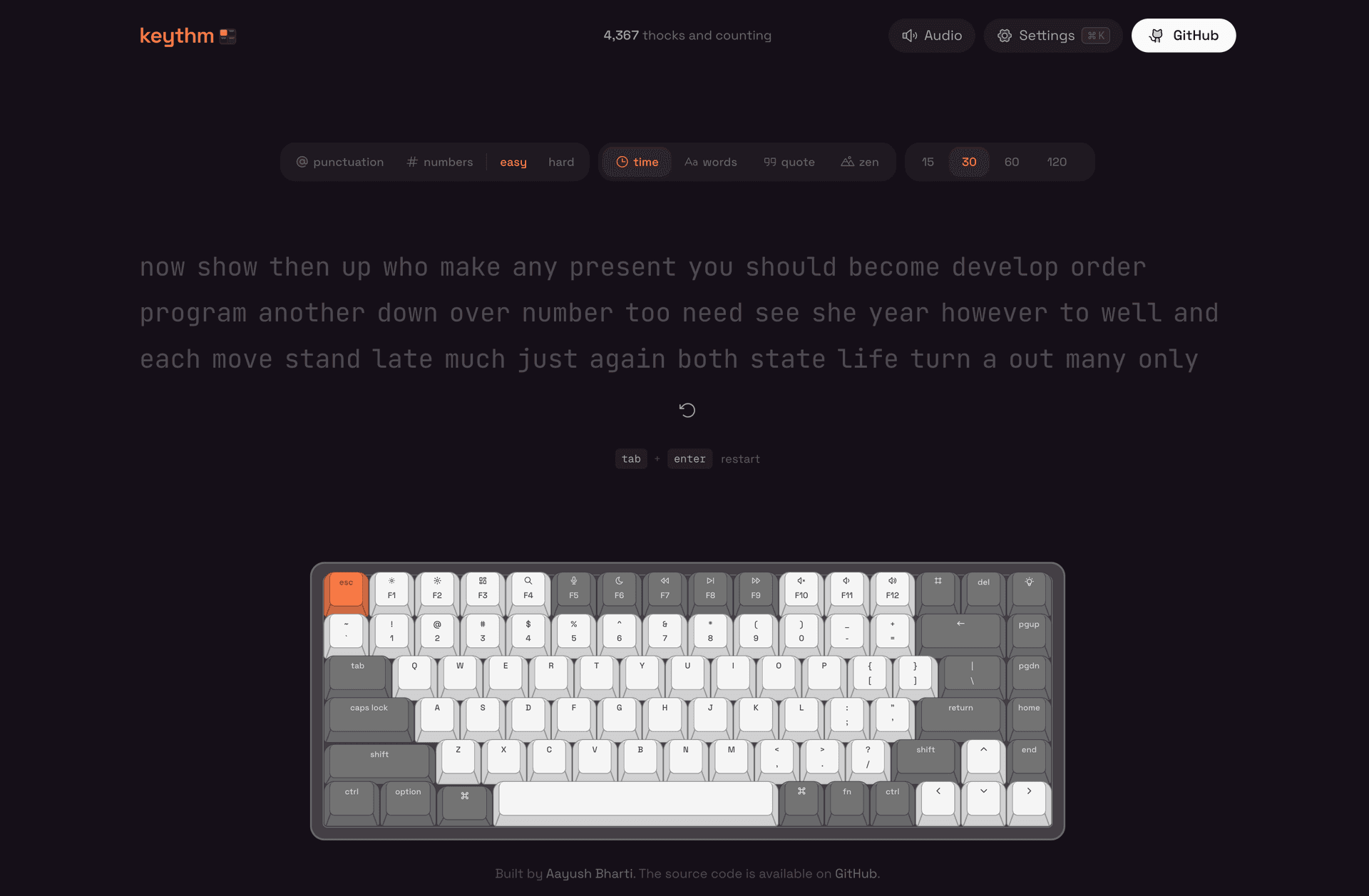
I wanted typing to feel physical in the browser. I use mechanical keyboards daily, and the disconnect between pressing a real switch and hearing silence in a web app always bothered me. Not a generic click — actual per-key audio, so pressing Q sounds different from pressing Enter. That one constraint shaped every technical decision that followed.
Sound System
Sound is the whole reason Keythm exists, so it had to be indistinguishable from real keystrokes — and fast enough that you'd never notice it wasn't.
The entire library lives in a single 1.9MB OGG sprite: ~80 key samples packed into one file, each mapped to a [startMs, durationMs] tuple for both the "down" and "up" phase. On first load, the sprite gets fetched and decoded into an AudioBuffer at module import time — before any component mounts. When you press a key, BufferSource.start(0, offset, duration) slices the right sample on demand. One HTTP request, one decode, and latency that stays under a single frame.
The part that took the most debugging was browser restrictions. Modern browsers suspend new AudioContexts until the user interacts with the page (thanks, autoplay policies). Keythm listens for the first keydown or pointerdown on the document and resumes the context immediately — so the audio pipeline is warm by the time you actually start typing. There's also a modifiersDownRef to track held modifier keys, because macOS has a lovely habit of swallowing keyup events after Cmd chords.
And then there's "faah mode" — an Easter egg that plays a dramatic sound effect on wrong keys. It uses a plain HTML Audio element because, honestly, it doesn't need the precision of the sprite system.
Typing Engine & Results
The core hook — useTypingTest — manages the full lifecycle across four modes: timed (15–120s), word count (10–100), curated quotes (filtered by length), and zen (unlimited, Shift+Enter to end).
Every second, the engine snapshots WPM, raw WPM, and error count. Those snapshots drive three things: the live stats overlay while you type, the WPM-over-time chart on the results screen, and the consistency score (100 minus the coefficient of variation of per-second WPMs — high consistency means steady rhythm, low means erratic bursts).
Results give you six metrics: WPM, raw WPM, accuracy, consistency, elapsed time, and a character-level breakdown (correct, incorrect, extra, missed, corrected). The Recharts graph shows exactly where you sped up, lost focus, or hit a wall. Score 100+ WPM and confetti fires — tuned to feel celebratory without being annoying.
Anti-cheat was more interesting than I expected. Simple threshold checks — WPM above 300, raw above 350, more than 30 chars/sec — catch the obvious bots. But the interesting cheats are scripts that type at 120 WPM with inhuman consistency. Catching those required statistical analysis: flat WPM history (every second within 1 WPM of every other), perfect consistency at high speed, impossible single-second bursts above 600 WPM, and AFK gaps mid-test. All 13 checks only activate above 80 WPM — slow-but-steady typists shouldn't get flagged for being consistent.
Key Decisions
Single sprite over 80+ audio files
The alternative was individual files per key — 80+ HTTP requests (or a bundling step that would need its own maintenance), 80+ decode calls, and cache invalidation headaches. A single sprite with offset tuples keeps the entire sound system in one fetch and a lookup table. The tradeoff is manual offset mapping, but that's a one-time cost paid once during development.
localStorage-first, server-optional
All settings, personal bests, and preferences persist to localStorage with a tc- prefix. No auth, no round-trips. Combined with Serwist's precaching, the app works fully offline after the first visit. Drizzle + LibSQL is wired up for future aggregate features (leaderboards, distribution curves), but nothing in the core experience depends on it. If the server is unreachable, nothing breaks — you just don't get global stats.
Blocking script for theme hydration
A tiny inline script in <head> reads the accent color from localStorage before the first paint. Every React app with persisted themes has the same flash-of-wrong-color problem; this solves it by running before hydration. The page loads with correct colors from the first frame.
IntersectionObserver gating on the keyboard
The virtual keyboard renders a full QWERTY layout with spring-animated keys (stiffness: 700, damping: 38). That's a lot of event listeners and DOM work. An IntersectionObserver at 10% threshold detaches physical key listeners when the keyboard scrolls out of view. No wasted work, no frame drops on the typing input above it.
What I Learned
Sound is the hardest kind of UX polish. Visual feedback is forgiving — a 50ms delay on a hover state is invisible. Audio feedback at 50ms delay feels broken. The entire sound pipeline (eager fetch, pre-decode, sprite slicing) exists to keep latency under one frame. The gap between "has sound" and "sounds right" is an order of magnitude of engineering effort.
Anti-cheat is adversarial thinking, not validation. Threshold checks are table stakes. The interesting problem is detecting a script that types at 120 WPM with near-perfect consistency — plausible speed, inhuman steadiness. Solving that required statistical analysis of the WPM distribution, not bounds checking on the final number. Calibrating thresholds to avoid false positives on legitimate fast typists was the hardest part.
Offline-first is a forcing function. Once you commit to "works without a connection," you stop reaching for server state by default. Settings become localStorage. Preferences become client-side. The server becomes optional infrastructure for features that genuinely need it. That constraint produced a simpler, faster app than "add offline support later" ever would have.